Inline Chat
Using inline chat
Section titled “Using inline chat”Kiro’s Inline Chat feature allows you to interact with Kiro directly in the editor, without opening a separate chat panel. This is useful for quick code modifications or asking questions about the current code context.
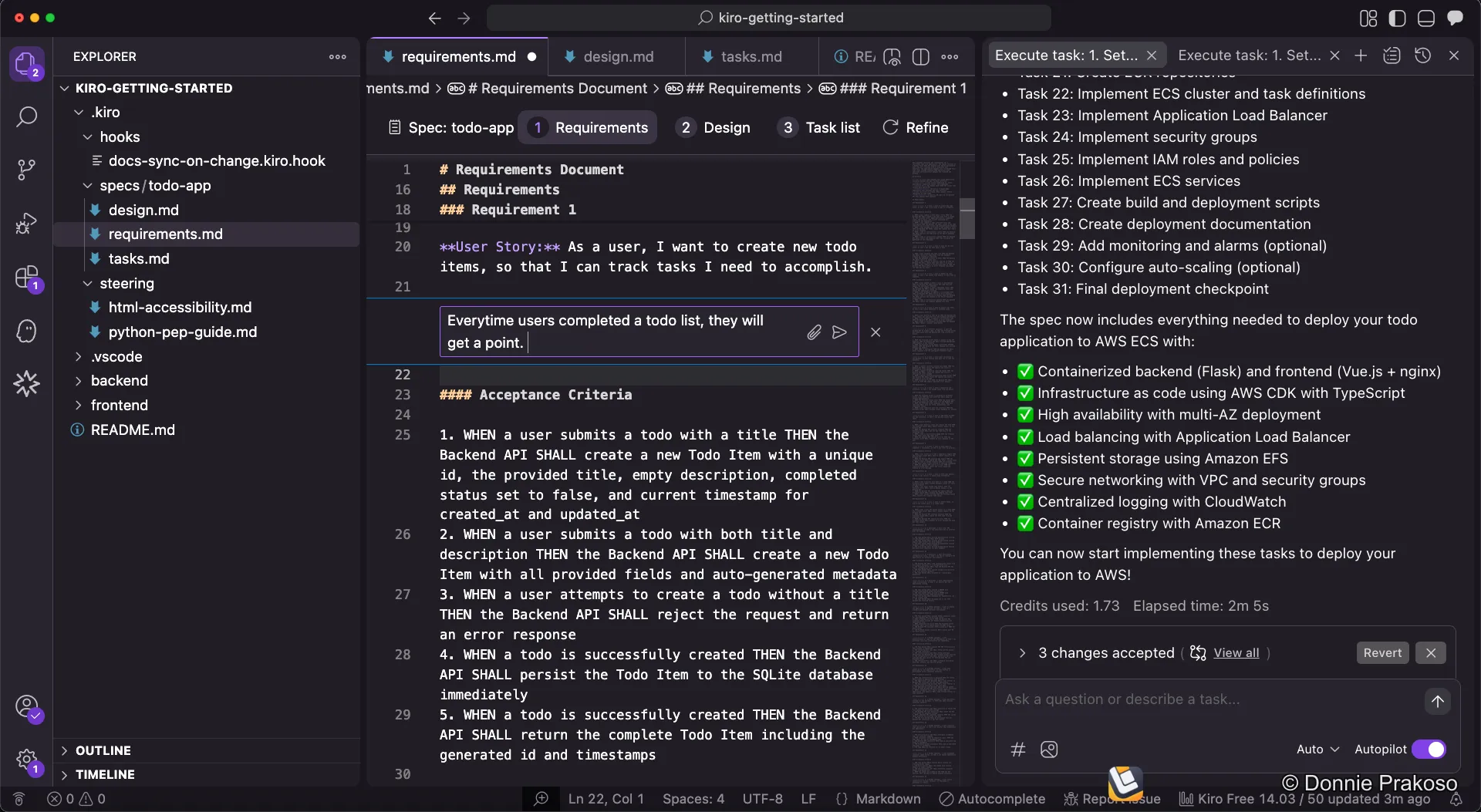
To activate Inline Chat, press ⌘ + I (Mac) or Ctrl + I (Windows/Linux) while in the editor. You can select code and request modifications, ask questions, or trigger spec changes directly.
Context with the # symbol
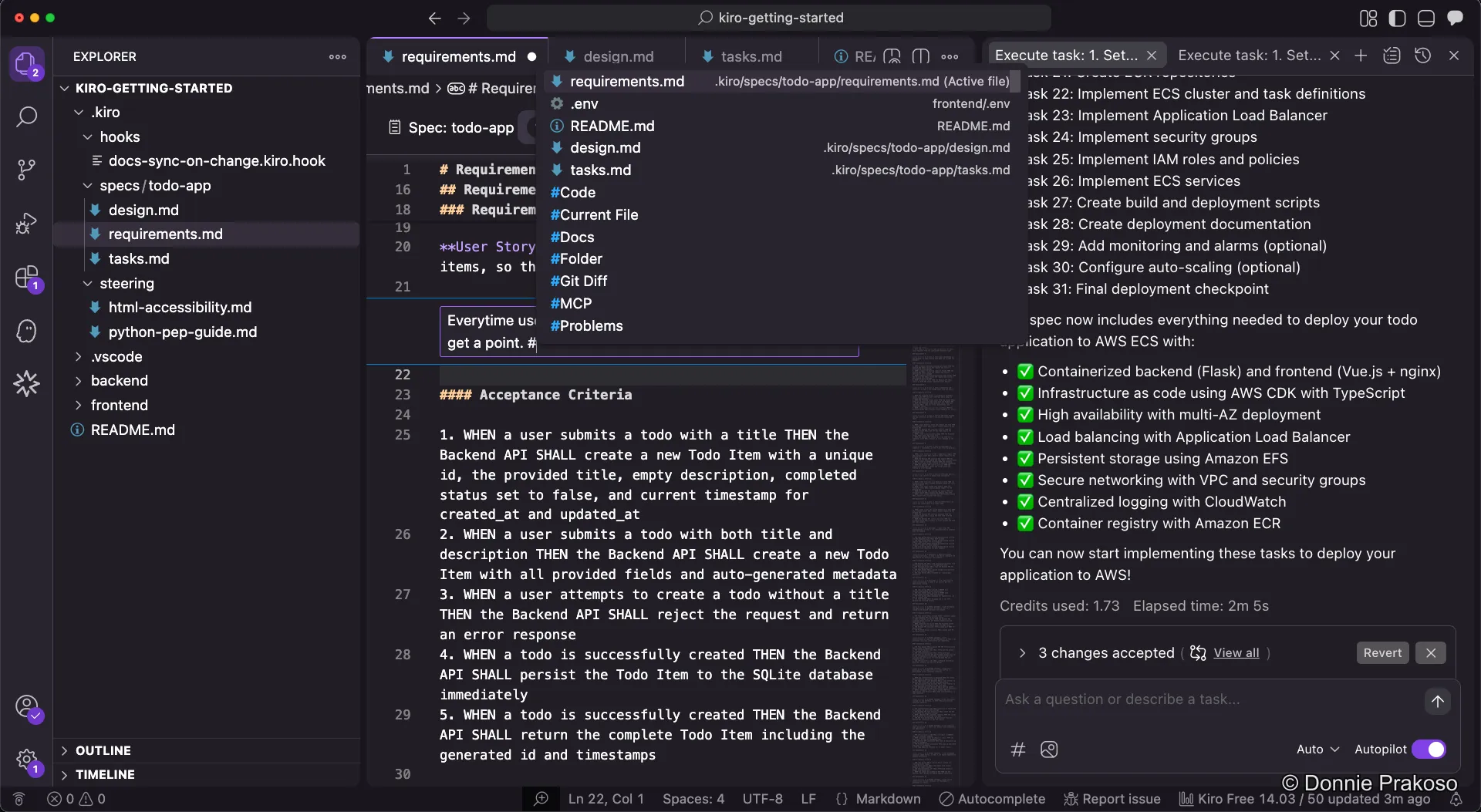
Section titled “Context with the # symbol”Within any Kiro chat input, the # symbol acts as a context provider. When you type #, an autocomplete menu appears, allowing you to quickly reference:
- Specific files
- Folders
- Predefined steering files
Congratulations! You’ve completed the Kiro IDE Workshop. You now know how to:
- Set up and configure Kiro IDE
- Use both Spec and Vibe coding modes
- Generate structured specs (requirements, design, tasks)
- Configure steering docs, agent hooks, and MCP servers
- Execute tasks and handle confirmations
- Test, iterate, and use checkpointing
- Use inline chat for quick edits
Happy building!