MCP Servers
Model Context Protocol (MCP) is an open protocol that standardises how applications provide context to LLMs. With MCP, Kiro can connect to various data sources and tools through MCP servers, extending its capabilities beyond built-in features. This allows Kiro to interact with databases, APIs, file systems, and other services in a standardised way.
AWS MCP Servers
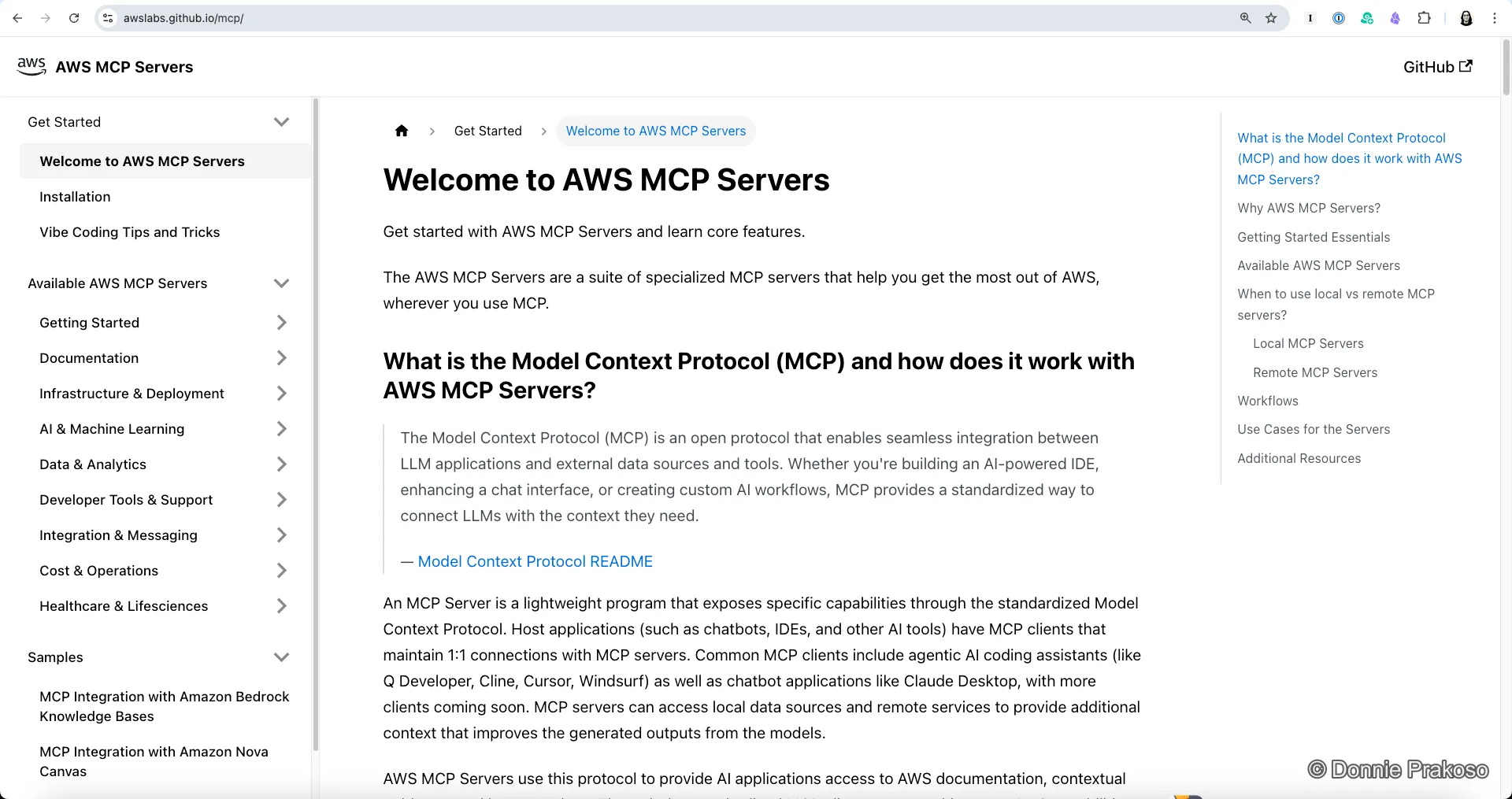
Section titled “AWS MCP Servers”AWS provides 50+ MCP servers for interacting with AWS services. Find the full catalog at awslabs.github.io/mcp.
Recommended Servers by Use Case
Section titled “Recommended Servers by Use Case”Essential for any AWS development:
| Server | Purpose |
|---|---|
| AWS Documentation | Get latest AWS docs and API references |
| AWS Knowledge | Documentation, code samples, official content |
For deploying and managing AWS resources:
| Server | Purpose |
|---|---|
| AWS CDK | CDK development with security compliance |
| CloudFormation | Direct CloudFormation resource management |
| Terraform | Terraform workflows with security scanning |
| Cloud Control API | Full CRUDL operations with security scanning |
| EKS | Kubernetes cluster management |
| ECS | Container orchestration and deployment |
| Serverless (SAM) | Serverless app lifecycle with SAM CLI |
For data storage and queries:
| Server | Purpose |
|---|---|
| DynamoDB | Complete DynamoDB operations |
| Aurora PostgreSQL | PostgreSQL via RDS Data API |
| Aurora MySQL | MySQL via RDS Data API |
| DocumentDB | MongoDB-compatible operations |
| Neptune | Graph database queries |
| Redshift | Data warehouse queries |
For AI and machine learning:
| Server | Purpose |
|---|---|
| Bedrock Knowledge Bases | Query knowledge bases with citations |
| Nova Canvas | AI image generation |
| SageMaker | Model development and deployment |
| Bedrock Data Automation | Analyse documents, images, video, audio |
For monitoring and operations:
| Server | Purpose |
|---|---|
| CloudWatch | Metrics, alarms, and logs analysis |
| CloudTrail | API activity and audit logs |
| Cost Explorer | Detailed cost analysis |
| Pricing | Pre-deployment cost estimation |
| AWS Diagram | Generate architecture diagrams |
Configuring MCP Servers in Kiro
Section titled “Configuring MCP Servers in Kiro”-
Add MCP server configuration
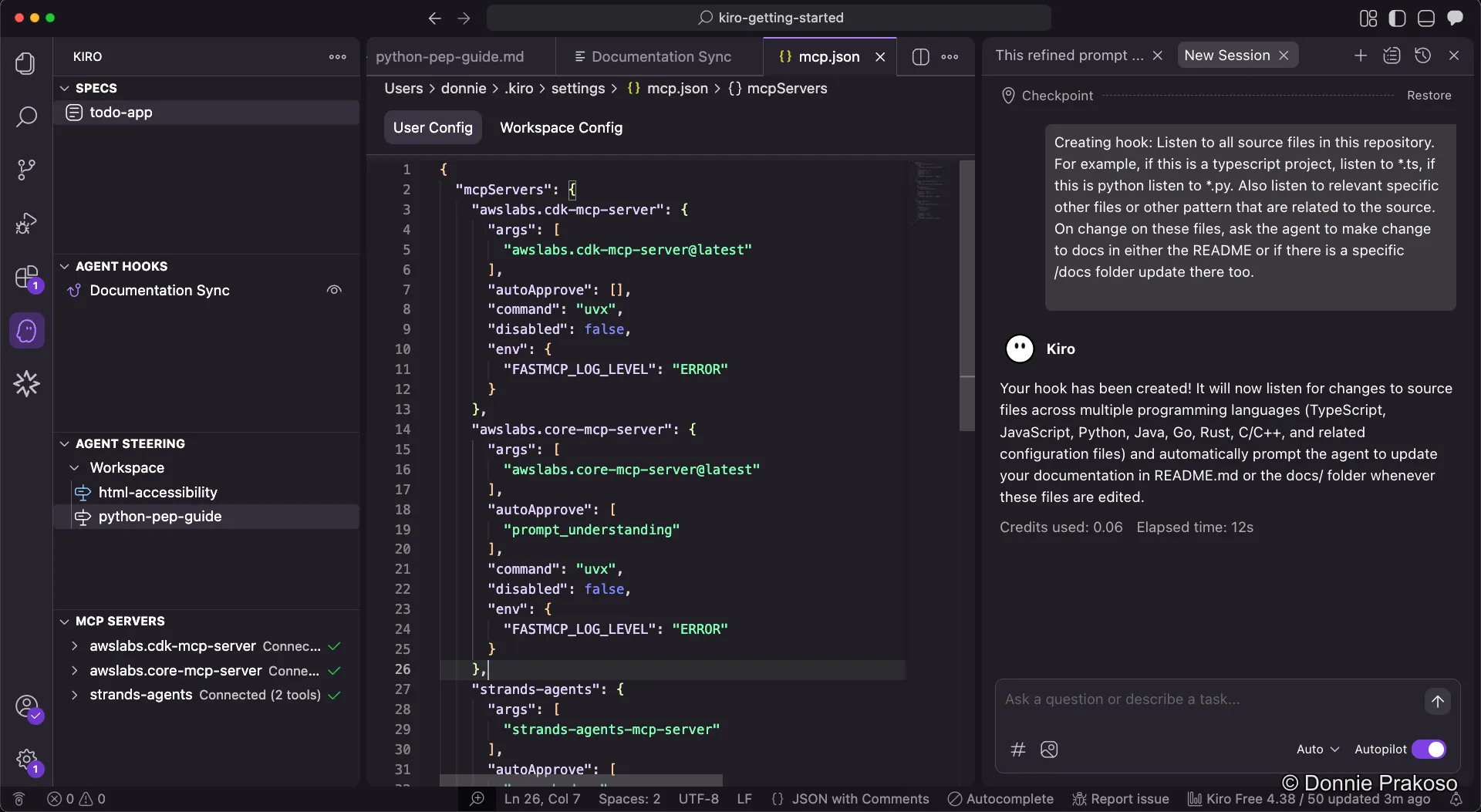
To define MCP servers, add them as you normally would in any MCP client. The configuration follows the standard MCP format.
-
Example configuration
Here’s an example MCP server configuration for AWS Documentation:
{"mcpServers": {"aws-docs": {"command": "uvx","args": ["awslabs.aws-documentation-mcp-server@latest"],"env": {"AWS_PROFILE": "default"}}}} -
Restart Kiro
After adding configuration, restart Kiro to load the new MCP servers.
MCP vs Powers
Section titled “MCP vs Powers”For common use cases, consider using Kiro Powers instead:
| Feature | MCP Servers | Powers |
|---|---|---|
| Setup | Manual JSON config | One-click install |
| Includes | Tools only | Tools + Steering + Hooks |
| Flexibility | Full control | Pre-configured |
| Best for | Custom setups | Common workflows |
Practical Example: Cost Estimation
Section titled “Practical Example: Cost Estimation”With the AWS Pricing MCP Server configured, you can estimate costs before deploying:
"Estimate the monthly cost for running 3 t3.medium EC2 instanceswith 100GB EBS storage each in ap-southeast-2"Kiro will query current AWS pricing and provide a detailed cost breakdown.
Further Resources
Section titled “Further Resources”- AWS MCP Catalog: awslabs.github.io/mcp
- MCP GitHub: github.com/awslabs/mcp
- Community servers: promptz.dev hosts additional MCP configurations
With Steering Docs, Agent Hooks, Powers, and MCP Servers configured, Kiro is now equipped with the tools and knowledge it needs. Let’s start executing the build tasks.