Agent Hooks
Agent hooks are automation tools that automatically execute predefined actions when specific events occur in Kiro. You define the event, and Kiro automatically triggers the action.
Understanding agent hooks
Section titled “Understanding agent hooks”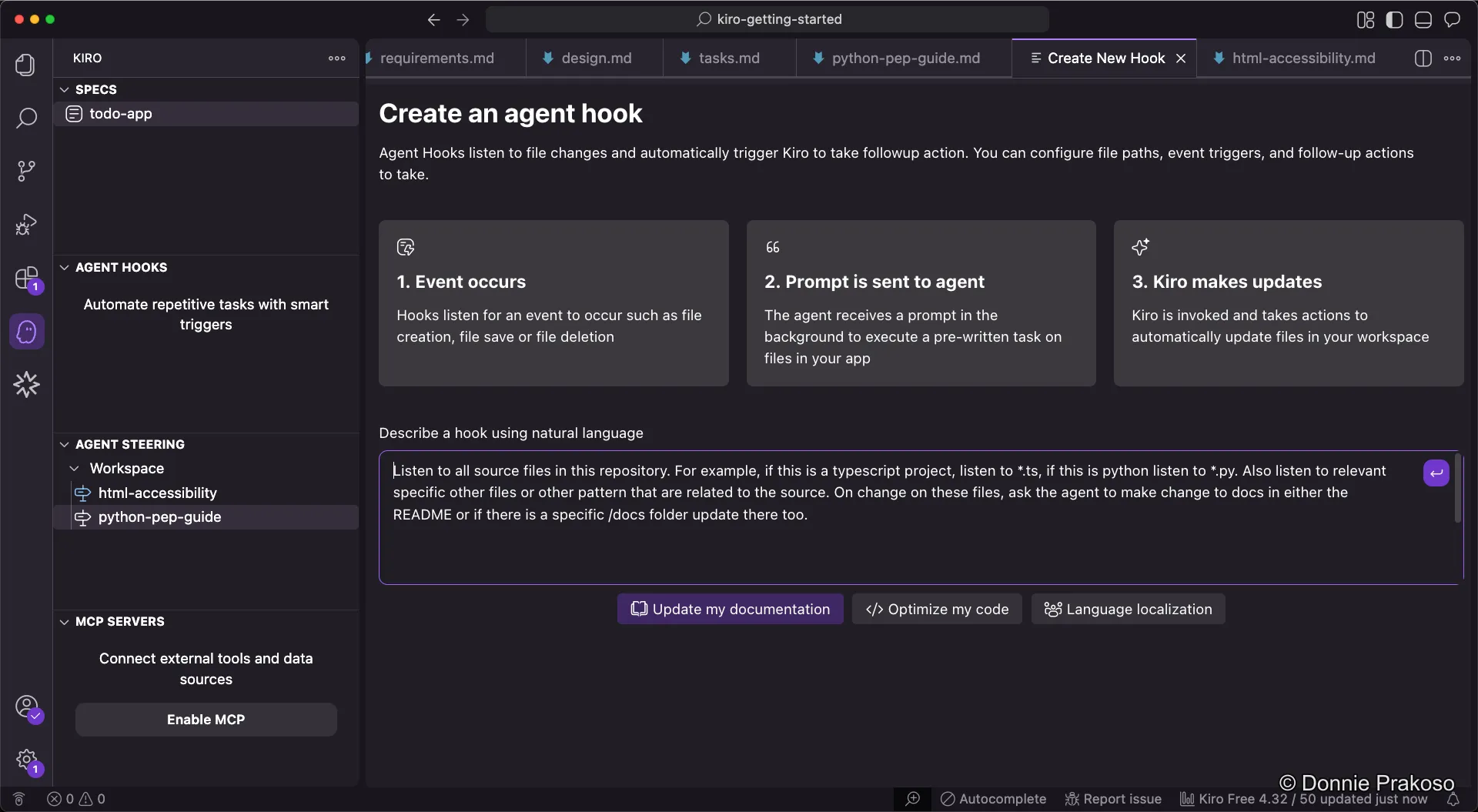
Agent hooks have three components:
- Prompt — The instructions sent to Kiro when the hook triggers
- Event — What triggers the hook (e.g., file changes)
- Templates — Predefined hook templates for common workflows
Configuring a hook
Section titled “Configuring a hook”-
Create or select a hook
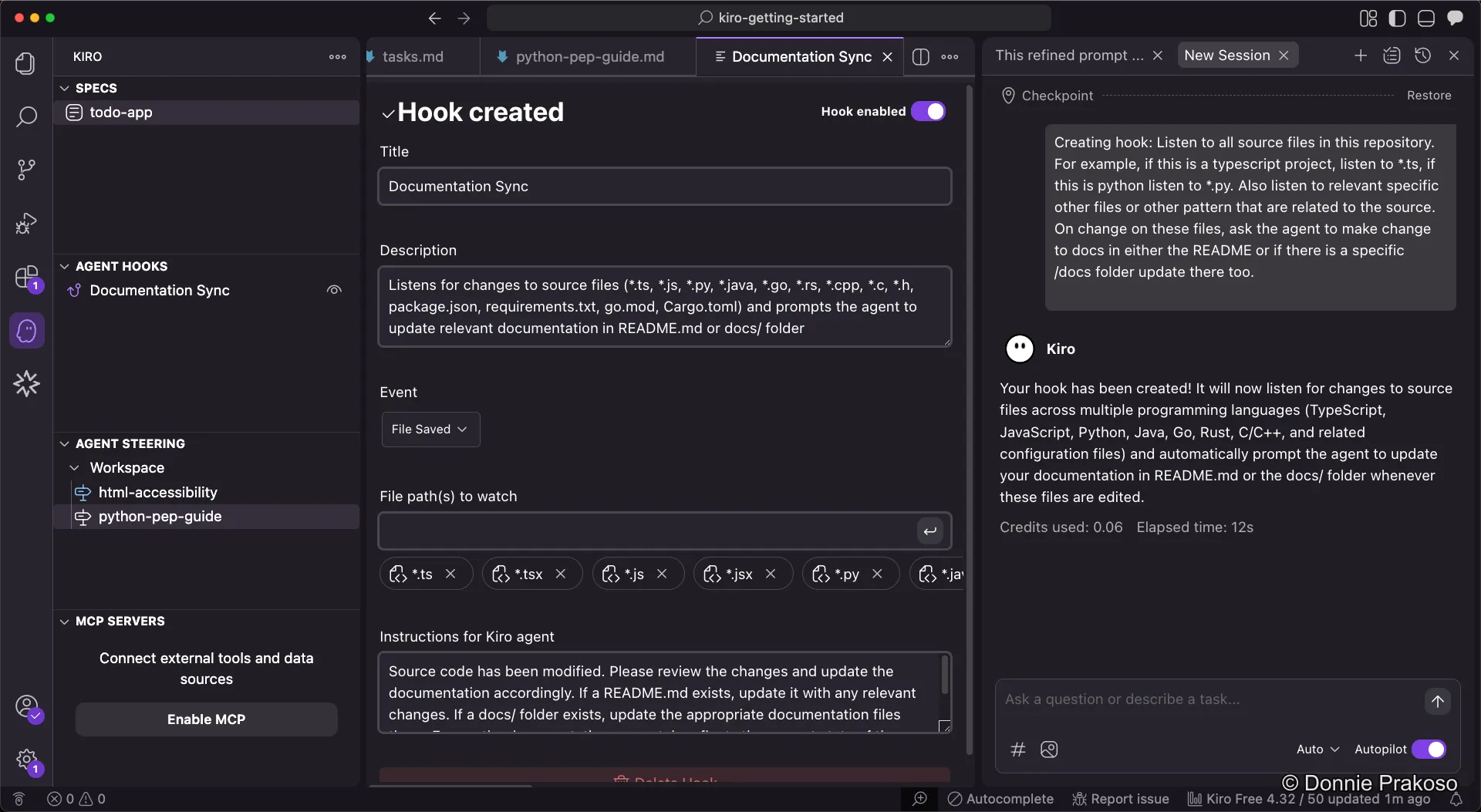
Once created, you can modify the hook’s details:
-
Configure the trigger event
Select which event should trigger the hook.
-
Set the file path to watch
Specify which file paths Kiro should monitor for changes.
-
Write the instructions
Add the prompt or instructions that will be sent to Kiro when the event fires.
-
Enable or disable the hook
You can toggle hooks on and off as needed. Be mindful — hooks always trigger based on their configuration, and too many active hooks can queue up operations in Kiro.